Employee equipment
Try Equiply’s assignments, return dates and item history.
Equiply or Cheqroom?
Compare named equipment assignments with your need for advance reservations. Test the same items and people before choosing a product.
$99/month after 14 days. Card required.
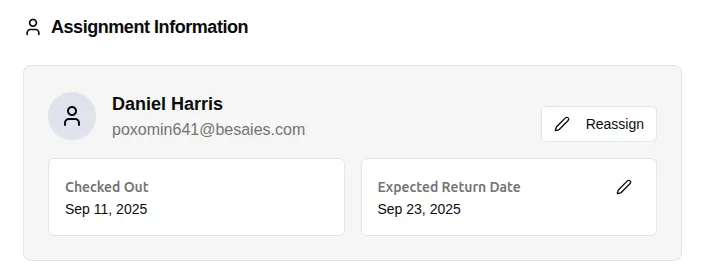 A clear equipment assignment to test with your team. Click to enlarge ↗
Try Equiply’s assignments, return dates and item history.
Include a reservation test if your team books equipment ahead.
Compare the current price for the same users, items and locations.
Equiply connects individual equipment records with employees, expected returns and an Activity Log. Use the demo to try a laptop assignment and return.
Cheqroom documents advance reservations and scheduling. Include a realistic booking in your evaluation if that is central to your work.
Equiply’s current offer is $99/month per organization after a 14-day card-required trial. Unlimited users, equipment and locations within that organization are included.
For Cheqroom’s current offer, use its official pricing page. Read our detailed Equiply vs Cheqroom comparison for the official product sources and a repeatable evaluation checklist.
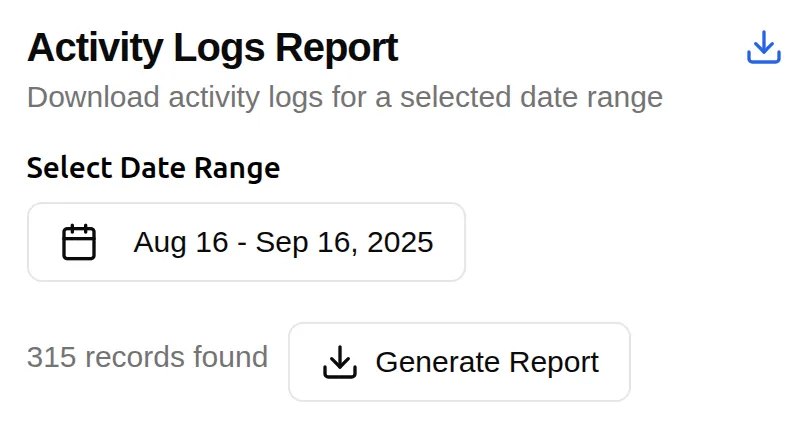 Open full-size screenshot ↗
How to compare
Keep the next action clear for the person managing your equipment.
Include assignments, returns, reports and any booking requirements.
Use a laptop, shared camera and an overdue item.
Check the process with the person who will maintain the inventory.
Review the total price and required features.
Try a real equipment issue and return, then add any special requirements.
Track item details, employee assignments and return dates in one place.