Imports, Exports & Equipment Reviews
Use imports, exports and a repeatable review process to reduce equipment admin.
Test a small import first
Open Equipment > Import and download the current CSV template. Clean up duplicate rows, inconsistent names and serial numbers before uploading.
Import a small batch first. Review the created records, then import the remaining list. Keep the original file so you can reconcile counts.
Create a repeatable export routine
For an inventory review, apply the relevant Equipment filters and use Export. Open the downloaded file and confirm its scope.
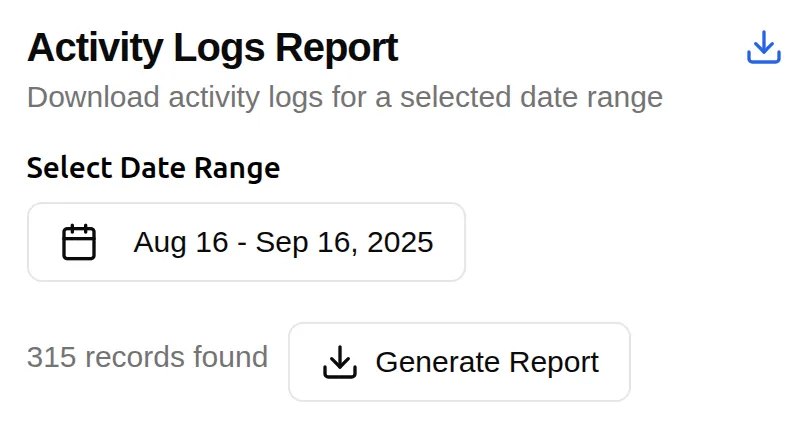
For changes over time, use Reports > Activity Logs Report, select the period and Generate Report. Keep the file with the review date and the actions your team agrees.
Make the routine clear to the team
Agree who records issue, return, office moves and condition changes. Review outstanding equipment before new starters, stock checks and departures.
Use your calendar to schedule the review. Record expected return dates on assignments and use the overdue detail to decide who needs a follow-up. This guide describes a repeatable team process rather than an automatic scheduling or approval setup.
Was this article helpful?
Let us know if you found this guide useful or if you have suggestions for improvement.