Understanding the Dashboard
Understand equipment totals and decide what to check next.
Read the overview, then open the relevant records
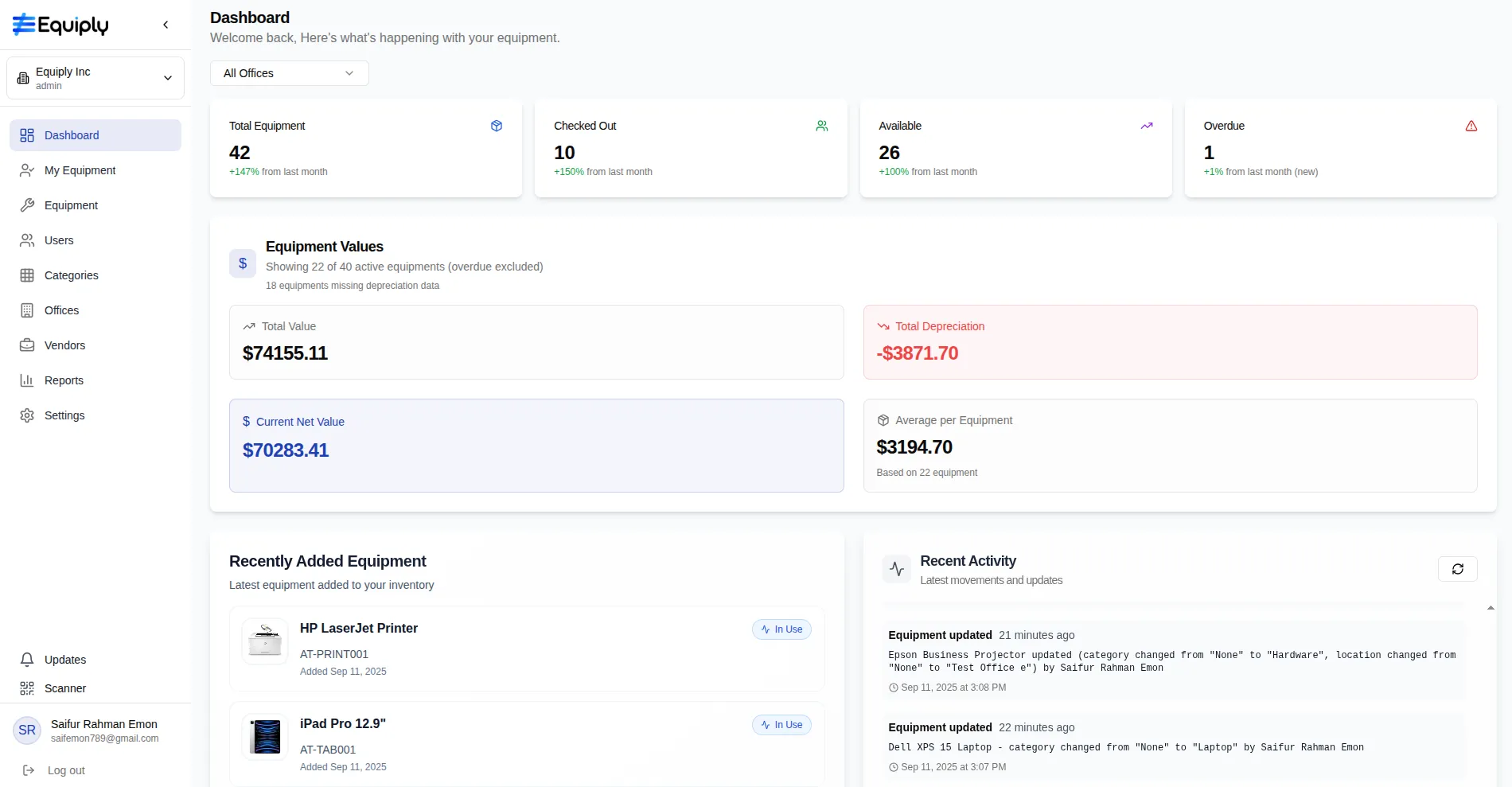
The dashboard summarises equipment and activity for the organization currently selected. Check the organization menu first if the totals do not match the team you expect.
Use the overview to decide where to look: available items before a purchase, equipment needing attention before a busy period, or recent activity when investigating a change.
Understand the scope of the numbers
Equipment totals depend on the records maintained by your team. A status describes the current recorded state; it is not a physical check that an item is present.
Use Equipment to find individual items, their assigned employee, condition and recorded office. Use Reports for category and status views and a activity export for a selected date range.
A useful weekly review
Check outstanding returns and items needing attention. Open the relevant assignment before contacting the employee.
After an item is returned, moved or repaired, update its record. If a display looks out of date, refresh once and check the item itself. Contact support with the item name and the steps you tried if the discrepancy remains.
Was this article helpful?
Let us know if you found this guide useful or if you have suggestions for improvement.