Organization and billing settings
Change organization details and review the current subscription from the right account.
Keep organization and personal details separate
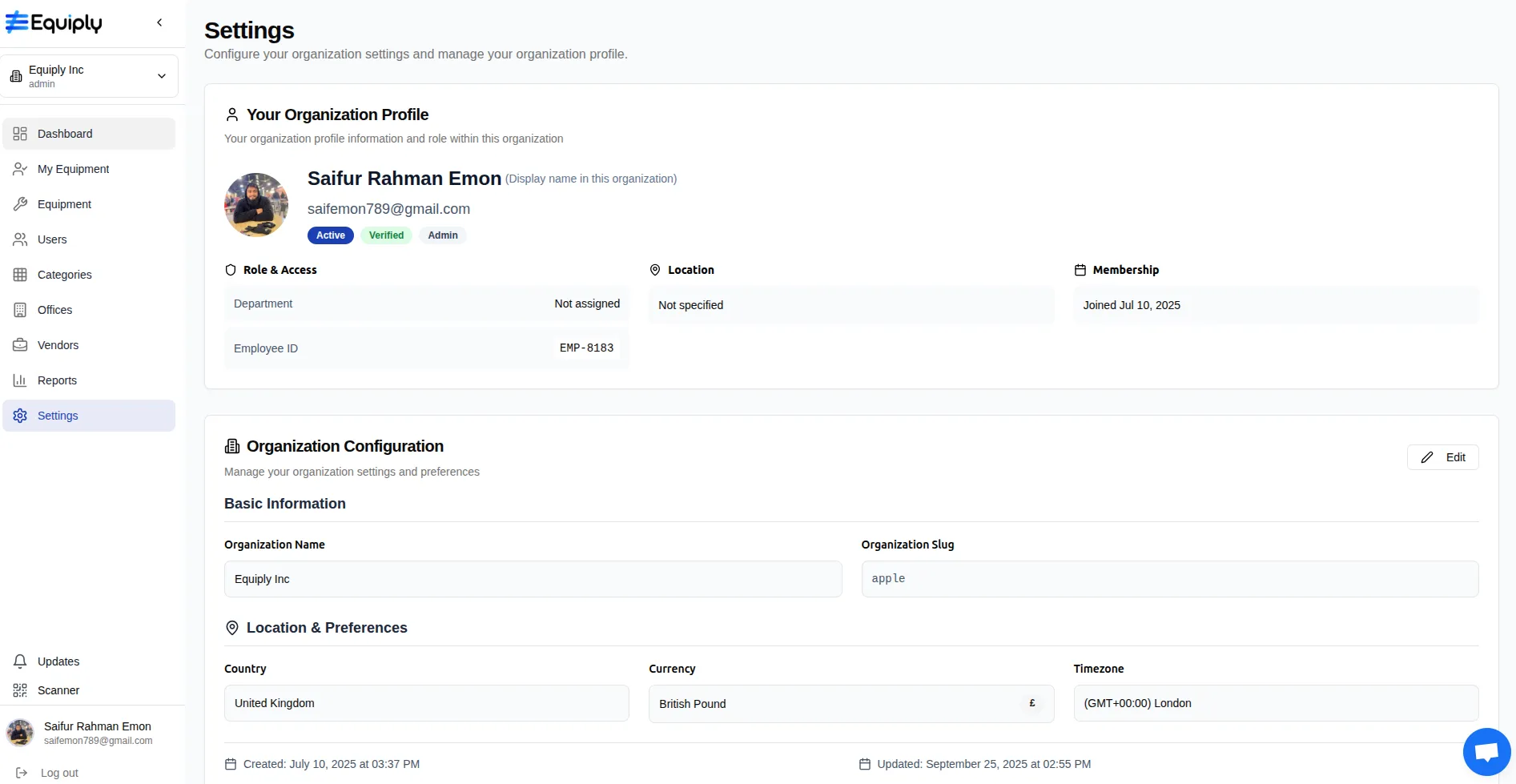
Use the organization menu or Settings for the organization you are currently working in. Check the selected organization before changing its name or other details.
For your own name or avatar, open the account menu at the bottom of the sidebar and choose Account. Those are personal profile settings.
Review or cancel the subscription
As an organization admin, open Billing to review the subscription, invoices and cancellation options. The current public plan is $99/month per organization after a 14-day card-required trial. Existing subscriptions may have different agreed terms.
To cancel, choose Cancel subscription and confirm the action. Check Billing for the resulting status. Cancel a trial before it ends to avoid the first charge.
Set up a useful inventory structure
Use Categories, Offices and Vendors to keep the list consistent. Those records provide the choices used on equipment forms.
Keep currencies and time-related settings consistent with your organization where the interface provides them. Set the expected return date on the assignment itself; check that date before saving.
Was this article helpful?
Let us know if you found this guide useful or if you have suggestions for improvement.