Change your profile picture
Change your own profile picture from Personal Account Information.
Open your personal account
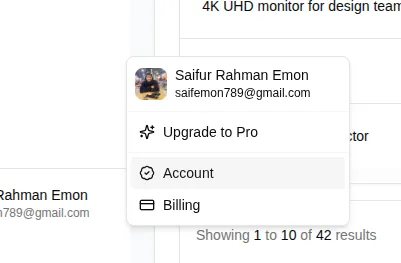
Select your account name at the bottom of the dashboard sidebar and choose Account. This opens Personal Account Information.
Your personal profile is separate from the organization’s name and settings.
Choose and save your image
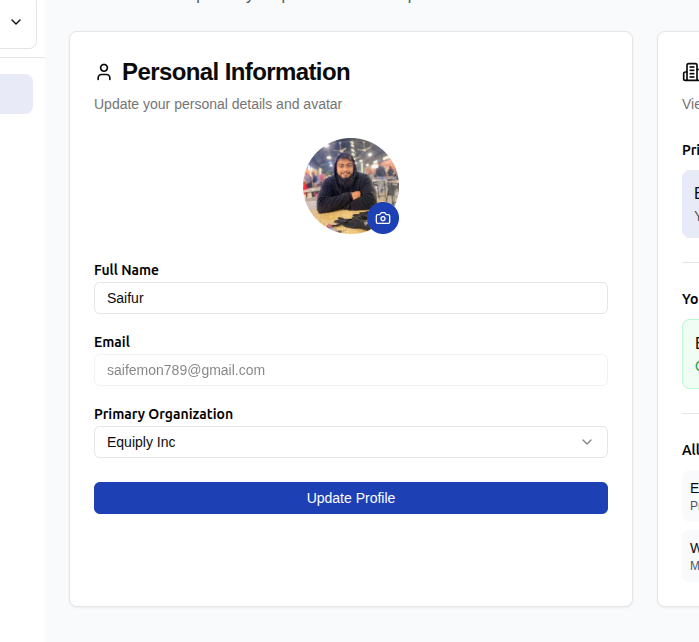
Select the camera icon next to your current avatar and choose an image from your device. Follow the upload form and save the profile update.
Check the profile picture after saving. If it does not update immediately, refresh the page and check again. Use an image format accepted by the upload field.
Where the change appears
Your personal avatar identifies your account across the organizations you belong to. It does not rename an organization.
If you also need to update your display name, edit Full Name on the same personal account page and choose Update Profile.
Was this article helpful?
Let us know if you found this guide useful or if you have suggestions for improvement.