Bring your list
Use the CSV template in Equipment to import existing items.
Replace your equipment spreadsheet
Import your existing equipment list, connect items to the people using them and keep return dates and changes with each record.
$99/month after 14 days. Card required.
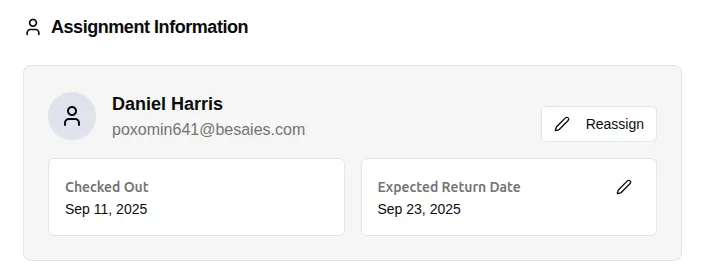 Employee assignment and return dates stay on the same record. Click to enlarge ↗
Use the CSV template in Equipment to import existing items.
Keep the assigned employee with each item.
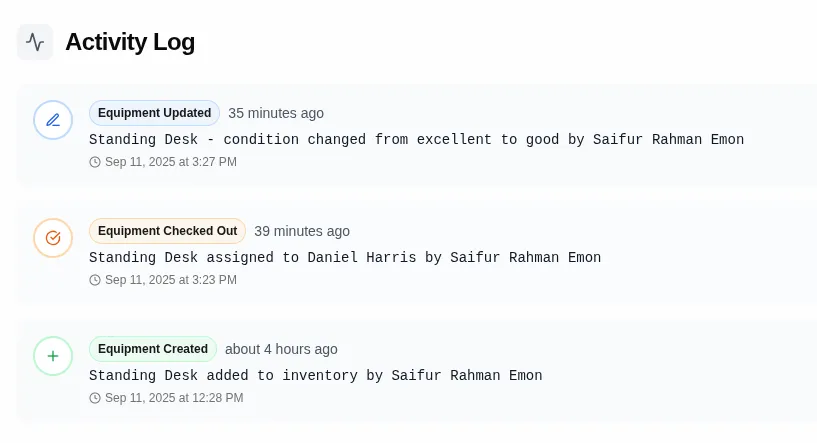
Find returns and updates in the Activity Log.
A spreadsheet can hold the equipment list. The repeated work comes when someone asks who has an item, equipment changes hands or a return is not recorded.
Equiply keeps identification, employee assignment, expected return and the Activity Log together. Use the same record each time the item moves.
Open Equipment > Import and download the template. Follow its columns and import a small batch before moving your full list.
Check the imported names, serial numbers and categories. Assign the people who already hold the equipment, then ask a colleague to find an item and record a return.
 Open full-size screenshot ↗
How it works
Keep the next action clear for the person managing your equipment.
Keep the original file, remove duplicates and use consistent names.
Download the current template and check a few rows first.
Connect each item with the person already using it.
Record returns and changes in Equiply.
Use the equipment you already own before ordering more.
Track item details, employee assignments and return dates in one place.